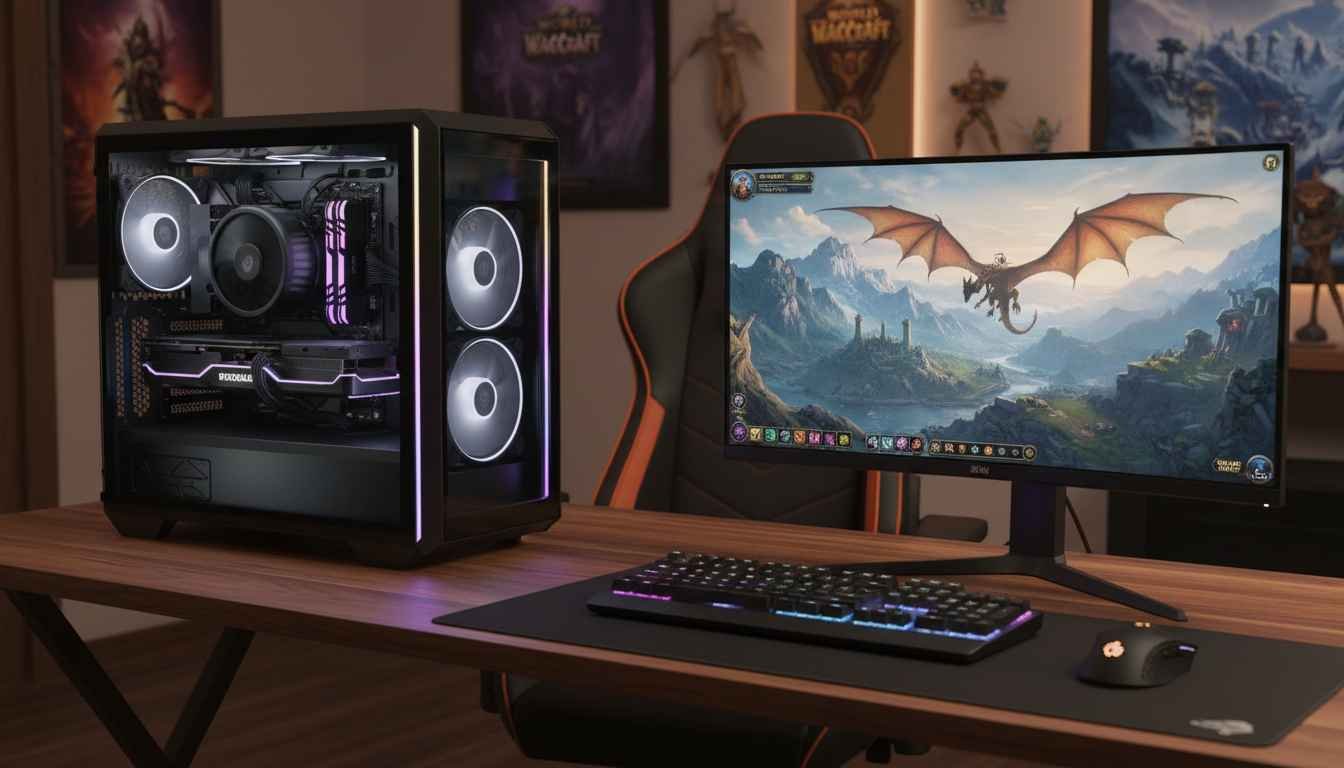
This is the guide I wish I had when I first tried to conquer World of Warcraft with a PC that just couldn’t keep up. Hours lost to lag, stuttering graphics, and frustrating disconnects – it doesn’t have to be this way. If you’re ready to experience WoW like it was meant to be played, fast, smooth, and immersive, then buckle up. I’m breaking down everything you need to know to pick the best PC for WoW gaming without wasting time or money.
Let’s cut through the confusion: whether you’re raiding in Icecrown Citadel, grinding in the Barrens, or exploring the Shadowlands, your PC’s performance can make or break the experience. From GPU horsepower to lightning-fast SSDs, each component plays a critical role. And yes, even your desk setup and cooling solution can impact your gameplay.
Before we dive deep, remember that investing in a reliable system is about more than FPS. It’s about your health and enjoyment. Don’t ignore ergonomics, eye strain, and safe overclocking practices. You can score insane performance, but safety always comes first. For top-tier gear and model inspiration, check out Midwestmodelrr.
Quick Definitions
FPS: Frames per second – higher is smoother gameplay.
GPU: Graphics Processing Unit – handles visuals and effects.
CPU: Central Processing Unit – determines processing speed.
RAM: Random Access Memory – helps multitasking and load times.
SSD: Solid State Drive – faster storage for quicker loading.
Step 1: Decide Your Performance Tier
Not all gamers need the bleeding-edge setup. For WoW, you can choose between three tiers:
Budget-Friendly (Good for Casual Play)
Think 60+ FPS at medium settings. Look for mid-tier GPUs like NVIDIA GTX 1660 or AMD RX 6600, paired with 16GB RAM and a Ryzen 5 or Intel i5 CPU. SSD storage is optional but recommended for faster loading.
High-Performance (Raiding and PvP)
For smooth 144+ FPS in raids, you need a powerful GPU like NVIDIA RTX 4070 or AMD 7800 XT, paired with 32GB RAM and a Ryzen 7 or Intel i7. SSD storage is mandatory. A high-refresh-rate monitor is also critical to fully enjoy your upgrade.
Ultimate Experience (Streaming + Maximum Settings)
If you stream WoW while pushing ultra settings, consider NVIDIA RTX 4090 or AMD 7900 XTX, 64GB RAM, and Ryzen 9 or Intel i9 CPU. Dual SSDs for OS and games keep everything lightning fast. Custom cooling is a must to maintain stability during marathon sessions.
Step 2: Choosing the Right GPU
The GPU is your WoW lifeline. Low FPS is almost always tied to a weak graphics card. Look for at least 6GB VRAM for high-res textures, and ensure it supports DirectX 12. Overkill isn’t bad – it future-proofs your rig for expansions and mods.
As any seasoned World of Warcraft raider knows, having the right gaming setup can make all the difference in your performance and enjoyment of the game. With the expansive landscapes, intricate dungeons, and intense raids that WoW offers, players need a PC that can handle the demands of high graphics settings and seamless gameplay. However, even the best machines can encounter issues that hinder the gaming experience. That’s why understanding how to troubleshoot common problems is essential for both casual players and hardcore raiders alike. For those looking to optimize their gaming rig, our guide on the best pc for wow gaming will provide valuable insights to ensure your setup is raid-ready and performing at its peak. Whether you’re facing lag, crashes, or performance dips, this article will equip you with the knowledge you need to tackle any technical challenge that comes your way.
Step 3: CPU Considerations
WoW can be surprisingly CPU-intensive, especially in large raids with tons of players. A CPU with high single-core performance is essential. Ryzen 5 5600X or Intel i5-13600K hits the sweet spot, but upgrading to Ryzen 7 or Intel i7/i9 ensures years of lag-free gameplay.
Step 4: RAM and Storage
Minimum 16GB RAM for stable gameplay, 32GB for heavy multitasking. Faster RAM improves loading and reduces stutter in large zones. SSDs are non-negotiable – NVMe drives are preferred for lightning-fast load times and quicker transitions between instances.
Step 5: Monitor, Mouse, and Accessories
A high-refresh monitor (144Hz+) and low-latency mouse enhance responsiveness. Mechanical keyboards reduce input lag, and ergonomic setups prevent wrist strain during long sessions. Don’t forget a quality headset for raid communication!
Step 6: Optimize Your Settings
Even the best hardware benefits from proper in-game settings. Enable vertical sync if tearing occurs, tweak shadows and particle effects, and use add-ons wisely to maintain smooth FPS. Keeping drivers updated ensures peak performance.
Potential Drawbacks
High-end systems can be expensive and overkill for casual WoW players. Noise and heat are other considerations; high-performance GPUs generate significant warmth, which can strain your system without proper cooling. Overclocking offers performance gains but increases risk if done incorrectly.
Step 7: Safety and Longevity Tips
Keep your PC clean, avoid dust buildup, and monitor temperatures. Overclock gradually and cautiously, and use surge protectors to prevent electrical damage. Regular maintenance maximizes your system’s lifespan and keeps your adventures in Azeroth smooth and uninterrupted.
Step 8: Build or Buy?
Building your own PC gives full control over components and cooling, often at a lower price. Prebuilt systems save time and offer warranty protection. Either route works, but ensure your specs match the tier you’re targeting.
Step 9: Recommended Builds at a Glance
Budget Build: GTX 1660, Ryzen 5 5600X, 16GB RAM, 500GB SSD
High-Performance: RTX 4070, Ryzen 7 5800X, 32GB RAM, 1TB NVMe SSD
Ultimate: RTX 4090, Ryzen 9 7950X, 64GB RAM, Dual 2TB NVMe SSDs
Step 10: Final Thoughts
Choosing the best PC for WoW gaming isn’t just about raw power – it’s about balance. CPU, GPU, RAM, storage, and peripherals must work in harmony. Prioritize your needs, stay safe, and invest in quality components that support both performance and well-being. Once you get this right, Azeroth opens up like never before – smooth, immersive, and absolutely epic.